Upload
Upload
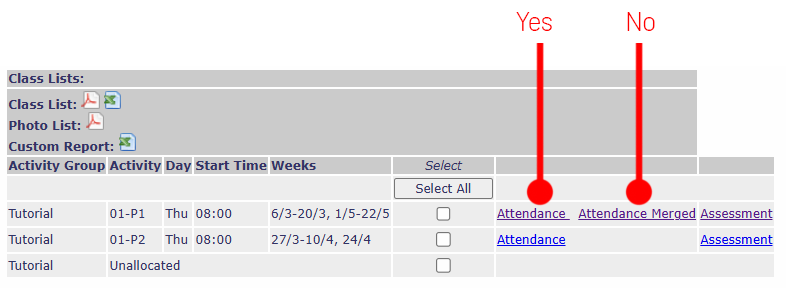
First: In myTimetable (AKA 'Allocate') navigate to the attendance sheet for your class. Ignore anything you see called attendance merged.
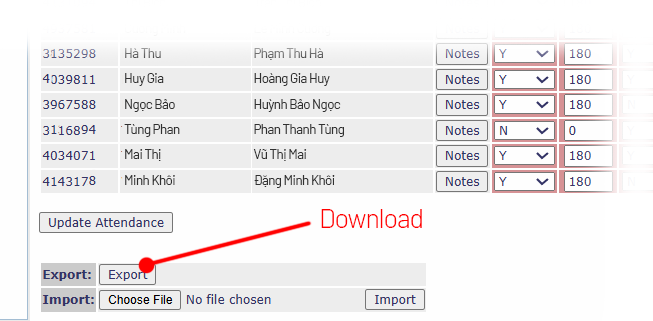
Then: Download the attendance sheet using the export button, upload it here, and choose whether you want to take attendance or review attendance.
- 1Upload
- 2Check Data
- 3Take Attendance
- 4Download
- 3Review Attendance
Attend-o-Matic is here to help you take attendance in class and to review attendance records.
Go to MyTimetable (Allocate) , download your attendance sheet, then drop it below.
For those with more than one class group, download from 'Attendance' not 'Attendance Merged'.